
Instant COD for Shopify
Make cash-on-delivery ordering feel fast, simple and branded.
Build your COD popup, customer fields, button style and success screen from one clean Shopify app. Every merchant gets the same customization features — Pro simply removes the monthly COD order cap.
Full form controls on Free + ProShopify order creationUnlimited COD orders on Pro
Plan & usageTrack this month’s COD orders or upgrade only when you need unlimited capacity.
Form settingsChoose fields, labels, icons and storefront button settings.
AppearanceChange colors, fonts and check the live preview.
SupportOpen WhatsApp or email support from the bottom of the app pages.
1. Use the Shopify app menu
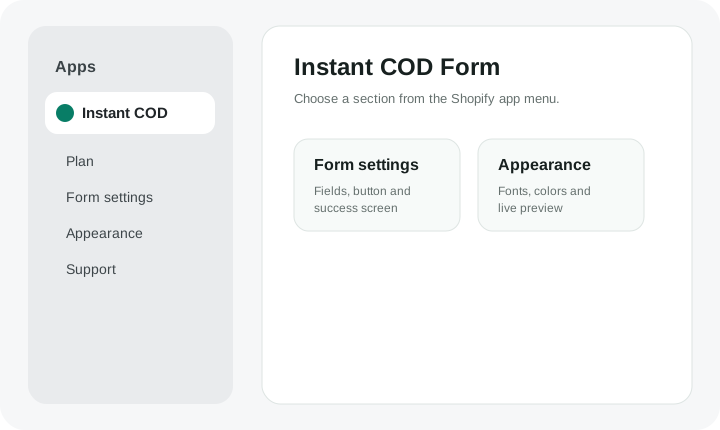
Open Shopify Admin → Apps → Instant COD. The app keeps the main navigation focused on the three areas you use most.
- Plan for usage and the unlimited-order Pro upgrade.
- Form settings for the Buy button and customer fields.
- Appearance for popup styling and live preview.
- WhatsApp and email support are available at the bottom of these app pages when enabled by the platform settings.
2. Build the form your store needs
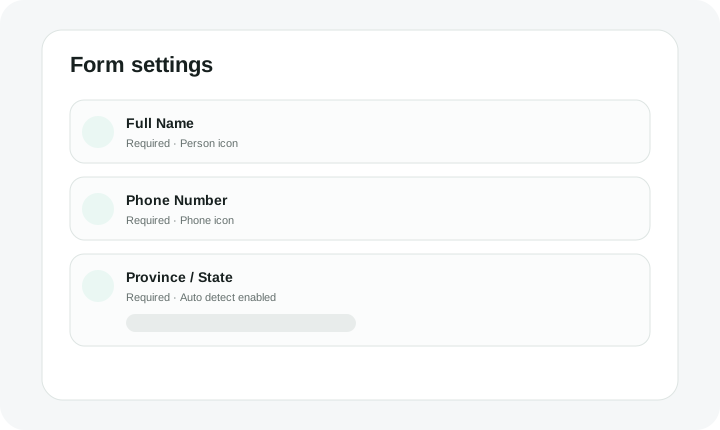
Choose customer fields, rename them, set required/optional/hidden, control icons and configure Province / State choices. These customization tools are available on both Free and Pro.
- Add fields in the exact position you want.
- Use live preview before saving.
- Save your changes.
3. New store setup
For any Shopify store you want to add, follow the dedicated setup guide. It lists the exact Shopify Dev Dashboard values you need.
Open Setup Guide