Install Instant COD on a Shopify store.
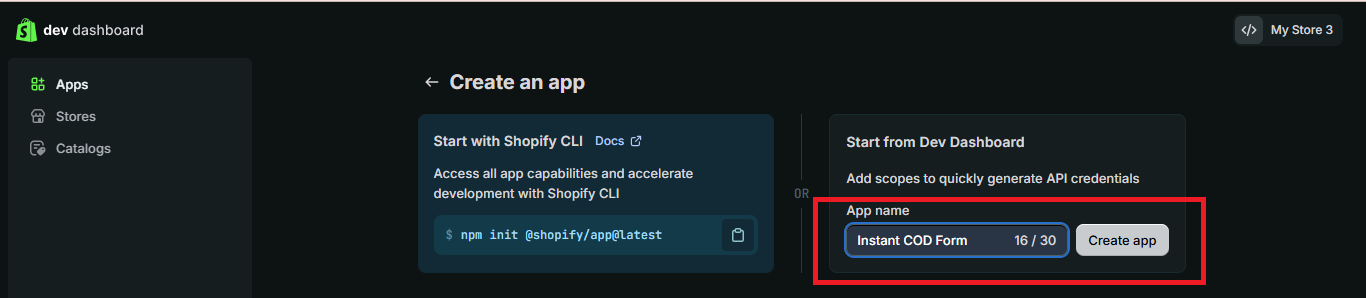
Create the app for the Shopify account you want to connect, enter the values below exactly, release the version, then continue to Connect Store.
1. App configuration
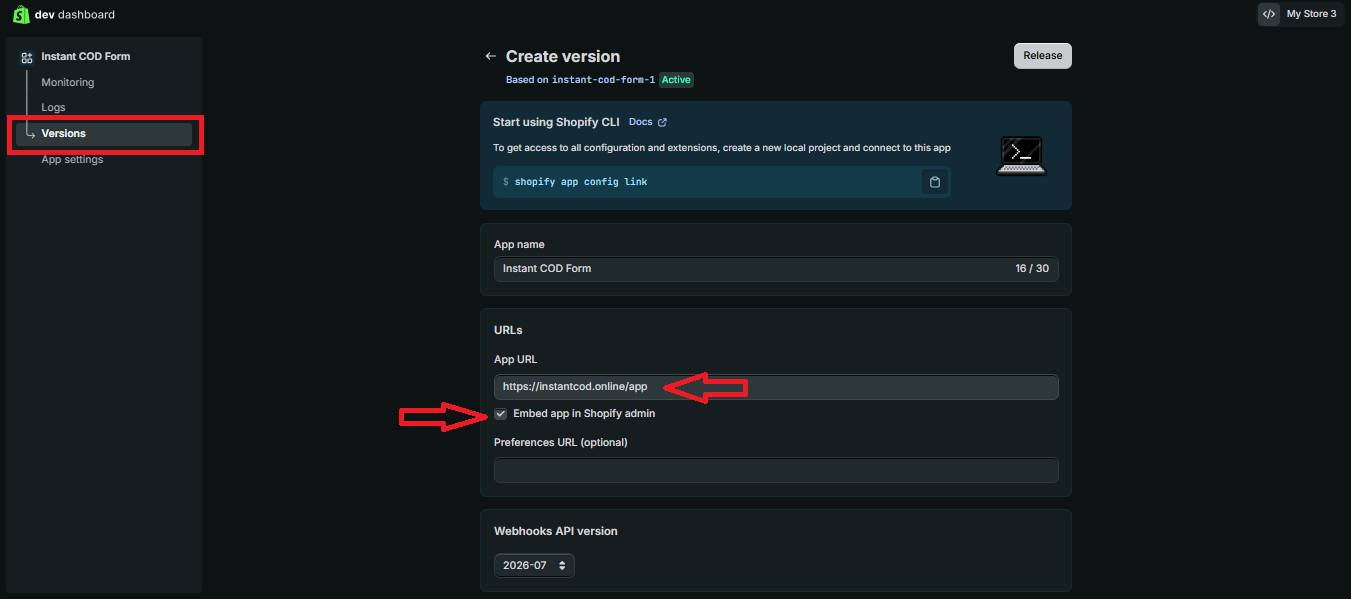
App URLhttps://instantcod.online/app
Embed appON
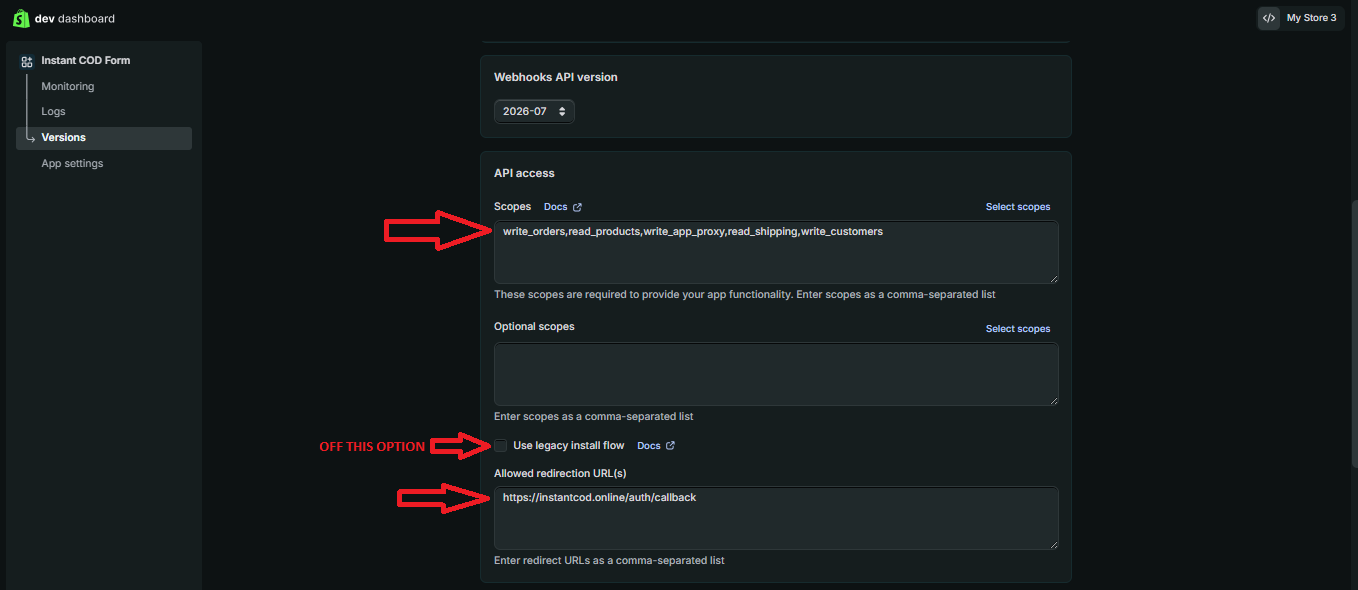
Allowed redirect URLhttps://instantcod.online/auth/callback
Required scopeswrite_orders,read_products,write_app_proxy,read_shipping,write_customers
Legacy install flowOFF
Once these values are saved, continue with the App Proxy and release the app version.
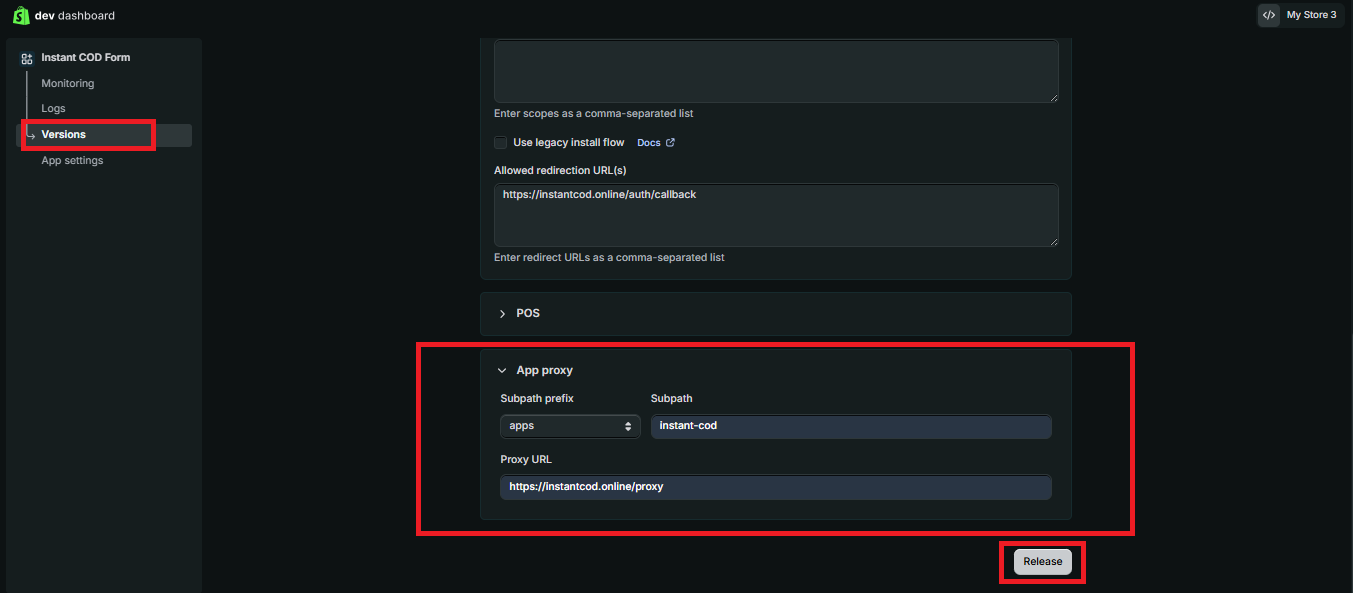
2. App Proxy
Prefixapps
Subpathinstant-cod
Proxy URLhttps://instantcod.online/proxy
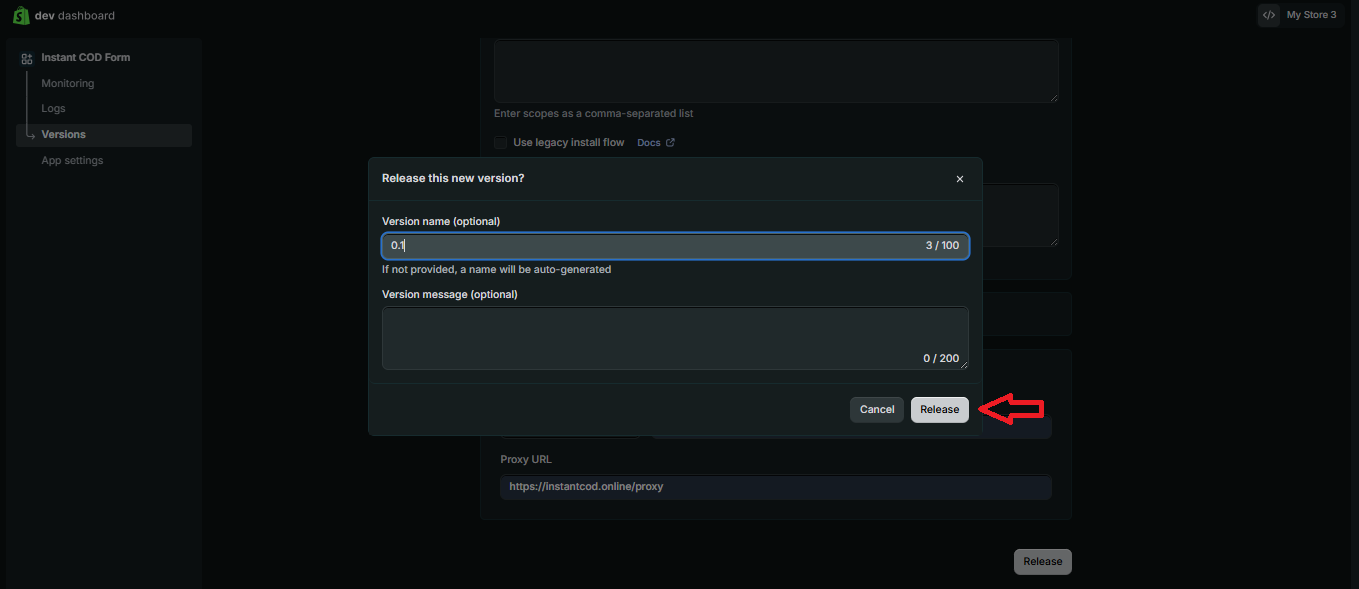
Save the configuration and Release the app version.
Step 1 of 7

Step 2 of 7

Step 3 of 7
Step 4 of 7
Step 5 of 7
Step 6 of 7
Step 7 of 7
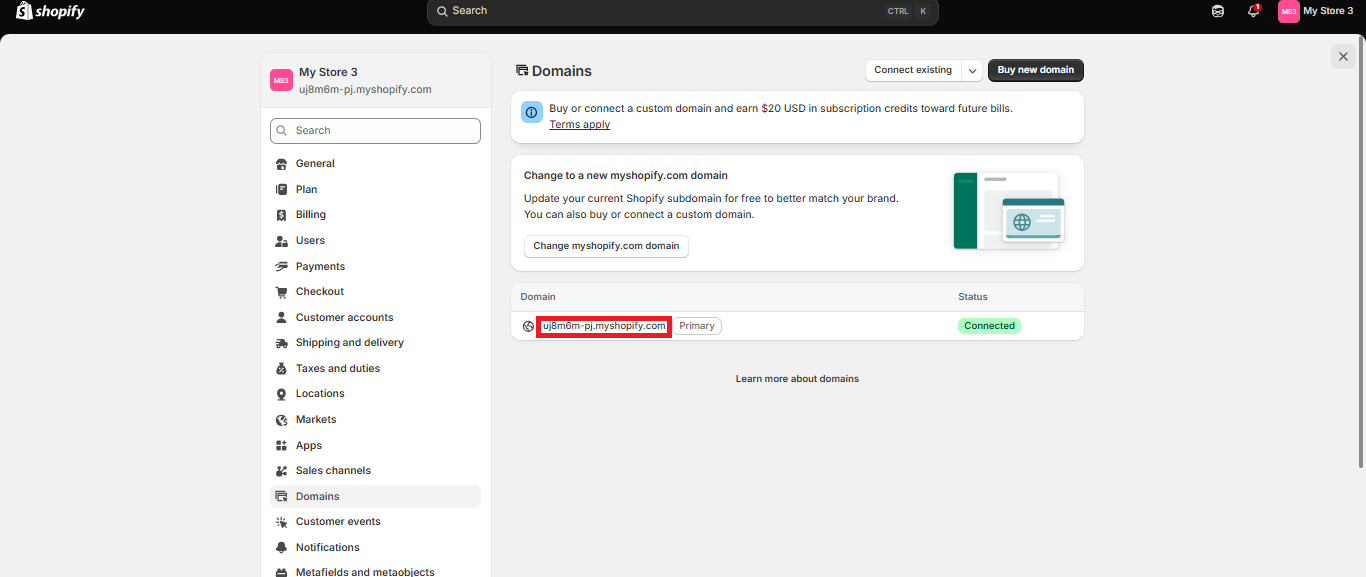
3. Default Shopify store domain
- Open the Shopify Admin for the store you are adding.
- Find its permanent .myshopify.com domain.
- Copy that exact domain, for example your-store.myshopify.com.
- Do not use the public custom domain such as yourstore.com.
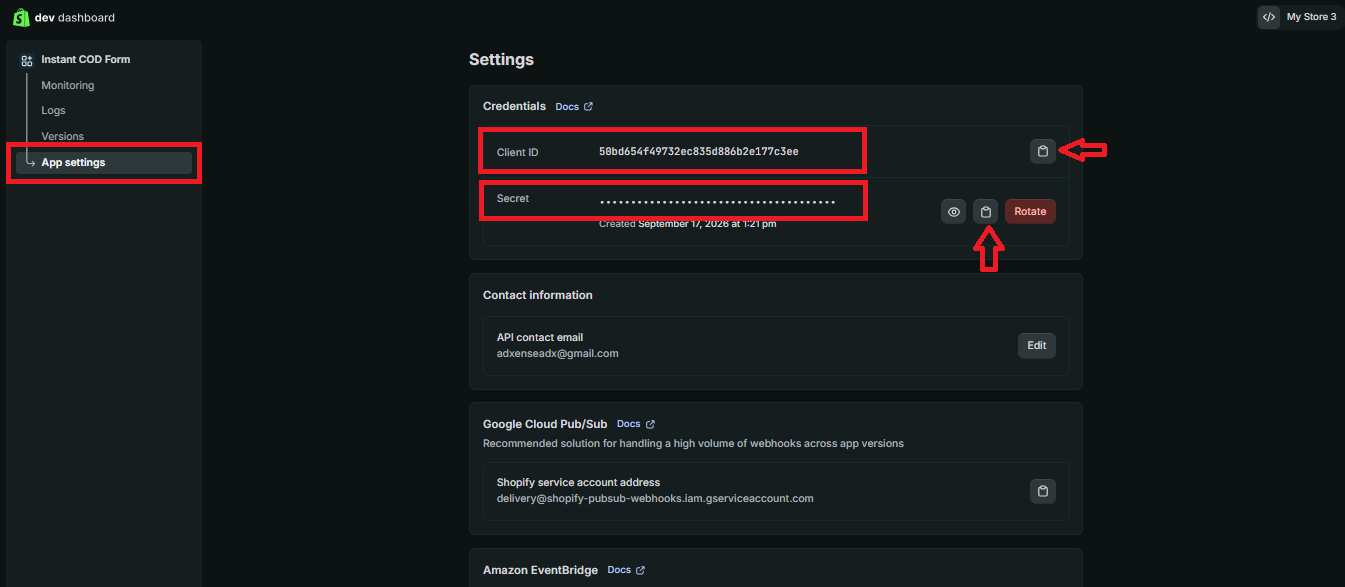
4. Copy app credentials
- Open your app in the Shopify Dev Dashboard.
- Open Settings → Credentials.
- Copy the Client ID and Client Secret.
- Keep the Client Secret private and submit it only through the secure Connect Store page.
Step 1 of 5
Step 2 of 5
Step 3 of 5
Step 4 of 5
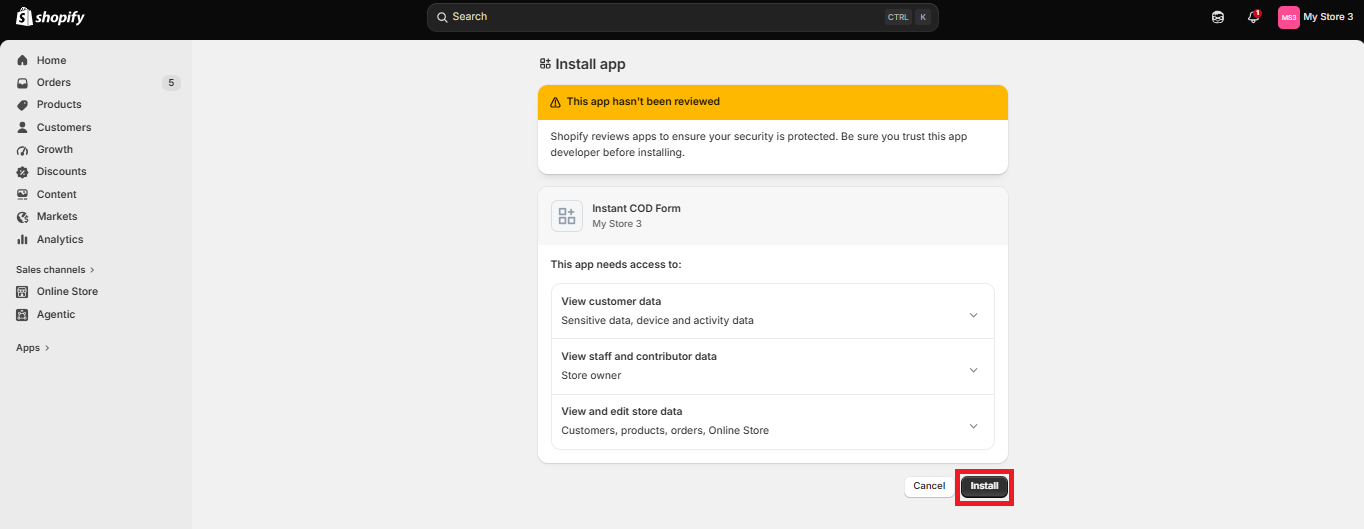
Step 5 of 5
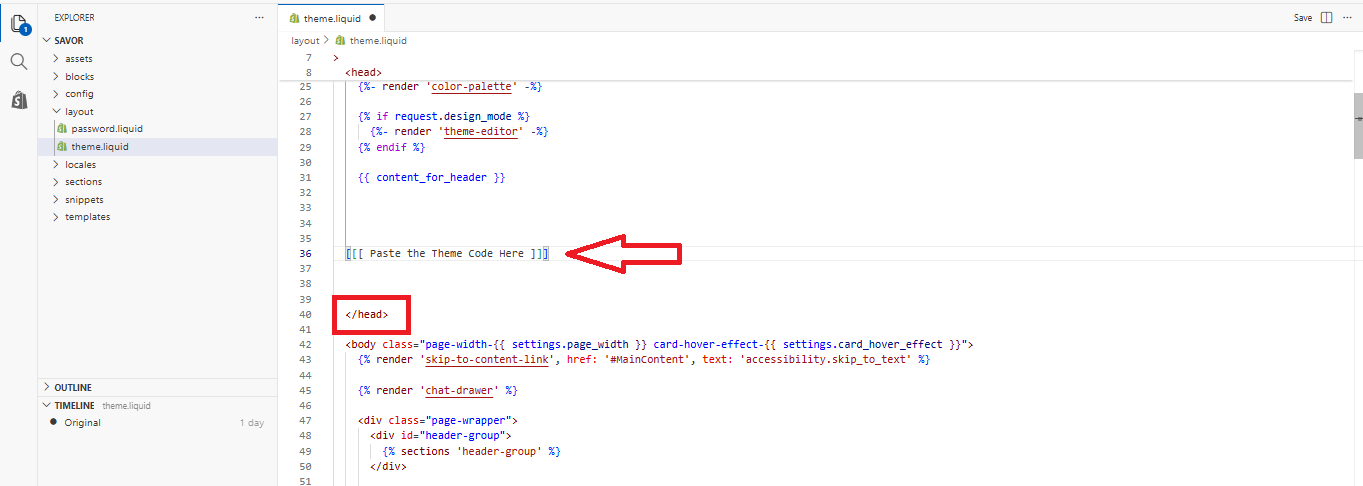
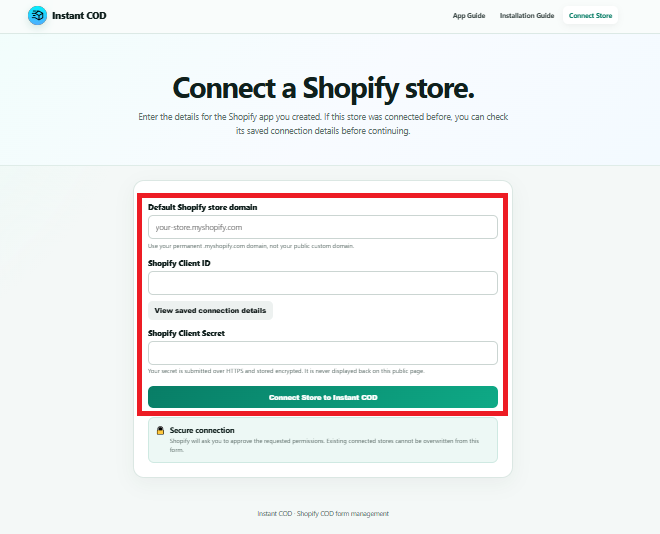
Ready for the next step: make sure the app version is released, the App Proxy is saved, and you have the permanent .myshopify.com domain, Client ID and Client Secret for the Shopify account you are connecting.